
The hardest part of a year-long reading plan is not the reading. It is coming back. Between the end of one week and the start of the next, the thread goes slack, and a new week opens with names and places you half remember from three weeks ago.
The New Testament study has a warm-up quiz for exactly that moment. Turn it on and every weekly overview from week 2 onward begins with a small line that asks: Remember? Follow it and you get a short run of questions drawn from the weeks just behind you. Multiple choice, one question at a time, a minute or two start to finish.
Nothing is graded, nothing is reported, and nothing is stored. Your score appears on screen for the moment and is gone when you leave. Miss a question and the quiz tells you the answer in words, names the passage it came from, and links you straight back to that day’s reading. A wrong answer that sends you back to the text is the quiz doing its job.
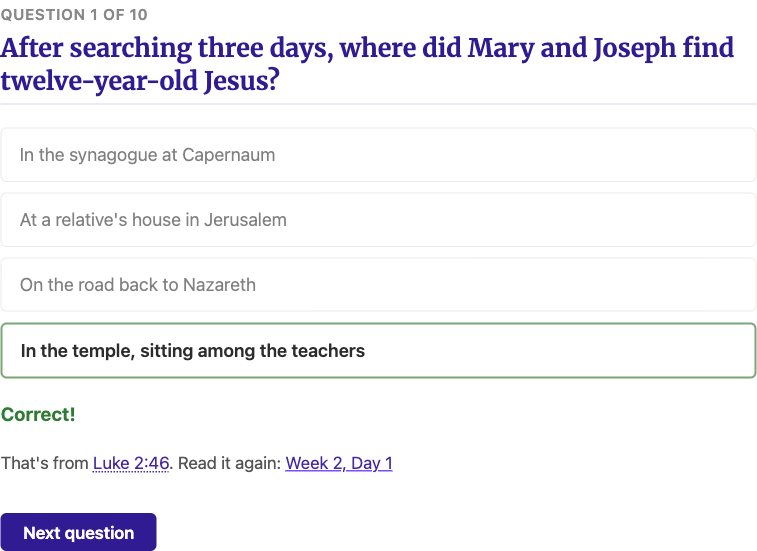
The quiz prints well, too. Use the Print button while a quiz is open and you get the whole thing as a worksheet: every question with a checkbox beside each choice, and an answer key on its own last page. Handy for a study group around a table, or for anyone who would rather hold paper than a phone.
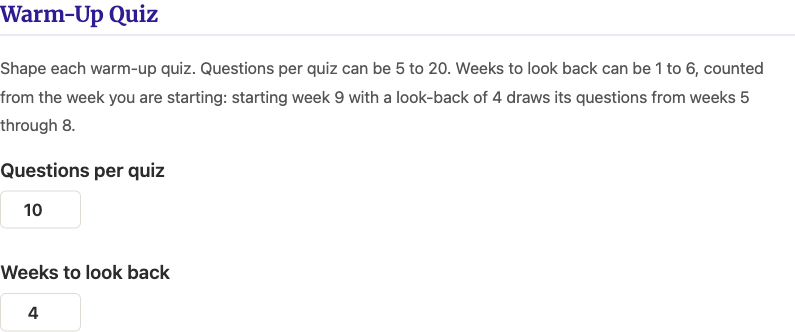
The quiz is off by default. Open Settings from the menu, find Features, and switch on Warm-Up Quiz. Once it is on, a Warm-Up Quiz section appears further down the same page with two numbers you can change. Questions per quiz sets how long each quiz runs, anywhere from 5 to 20; it defaults to 10. Weeks to look back sets how far behind you the questions reach, from 1 to 6 weeks, counted from the week you are starting: starting week 9 with a look-back of 4 draws its questions from weeks 5 through 8. Shorten the look-back to keep the quiz on fresh memories; stretch it to keep older weeks alive.
Take it before you start reading the new week. Refreshing your memory with the prior weeks study is what makes the year hold together as one book instead of fifty-two pieces.